



보안 인증기 애플리케이션을 어떻게 수정하나요?
고객 포털에 로그인한 후 페이지의 오른쪽 상단으로 이동하여 "인증"을 선택하고 "보안 관리"를 선택하세요.

보안 인증 앱을 인증하려면 "활성화"를 클릭하세요. 고객은 Google Authenticator 또는 Microsoft Authenticator를 다운로드하고 앱에서 Authenticator 코드를 스캔해야 합니다. 고객은 Google Authenticator 또는 Microsoft Authenticator를 다운로드해야 합니다.
보안 인증 앱을 인증하려면 "활성화"를 클릭하세요. 고객은 Google Authenticator 또는 Microsoft Authenticator를 다운로드하고 앱에서 Authenticator 코드를 스캔해야 합니다. 고객은 Google Authenticator 또는 Microsoft Authenticator를 다운로드해야 합니다.
IOS의 경우:
App Store에서 Google Authenticator 또는Microsoft Authenticator 를 다운로드해야 합니다.
Android의 경우:
PLAY 스토어에서 Google Authenticator 또는 Microsoft Authenticator 를 검색하세요.
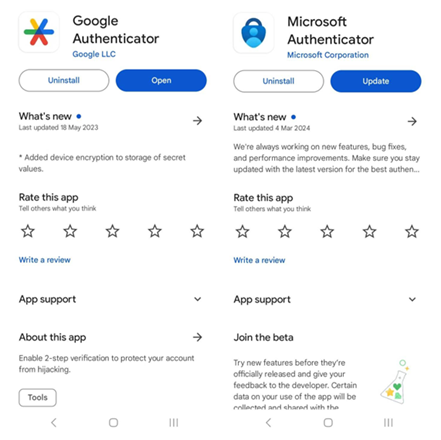
PLAY 스토어에서 Google Authenticator 또는 Microsoft Authenticator 를 검색하세요.
다음으로, 앱 내 카메라를 사용하여 제공된 QR 코드를 스캔하거나 설정 키를 입력하세요. Authenticator 앱 인증 코드를 입력하고 면책 조항을 수락하는 것에 동의하면 Authenticator 앱 연결이 완료됩니다.
Android:
IOS:
Google Play 스토어 또는 Apple App Store를 사용하지 않는 고객은 출금을 진행하기 위해 계정 내에서 Authenticator를 사용해야 합니다.
Wechat으로 이동하여 Google Authenticator 미니 프로그램을 검색하세요.
면책 조항을 수락한 다음 '가입/로그인'을 클릭하세요.
'QR 코드 스캔'을 클릭하세요.
Authenticator 앱 인증 코드를 입력하고 면책 조항을 수락하는 것에 동의하여 Authenticator 앱 연결을 완료하세요.



